For allied health practices
Practitioners, referrals and clients, on one screen you can act on
Utilisation, cancellations, hours per client, the referral pipeline by stage, and who is at risk of leaving. Built from the exports your practice system already produces, with a target and an owner on every number.
Every picture on this page is our example company, with sample data.
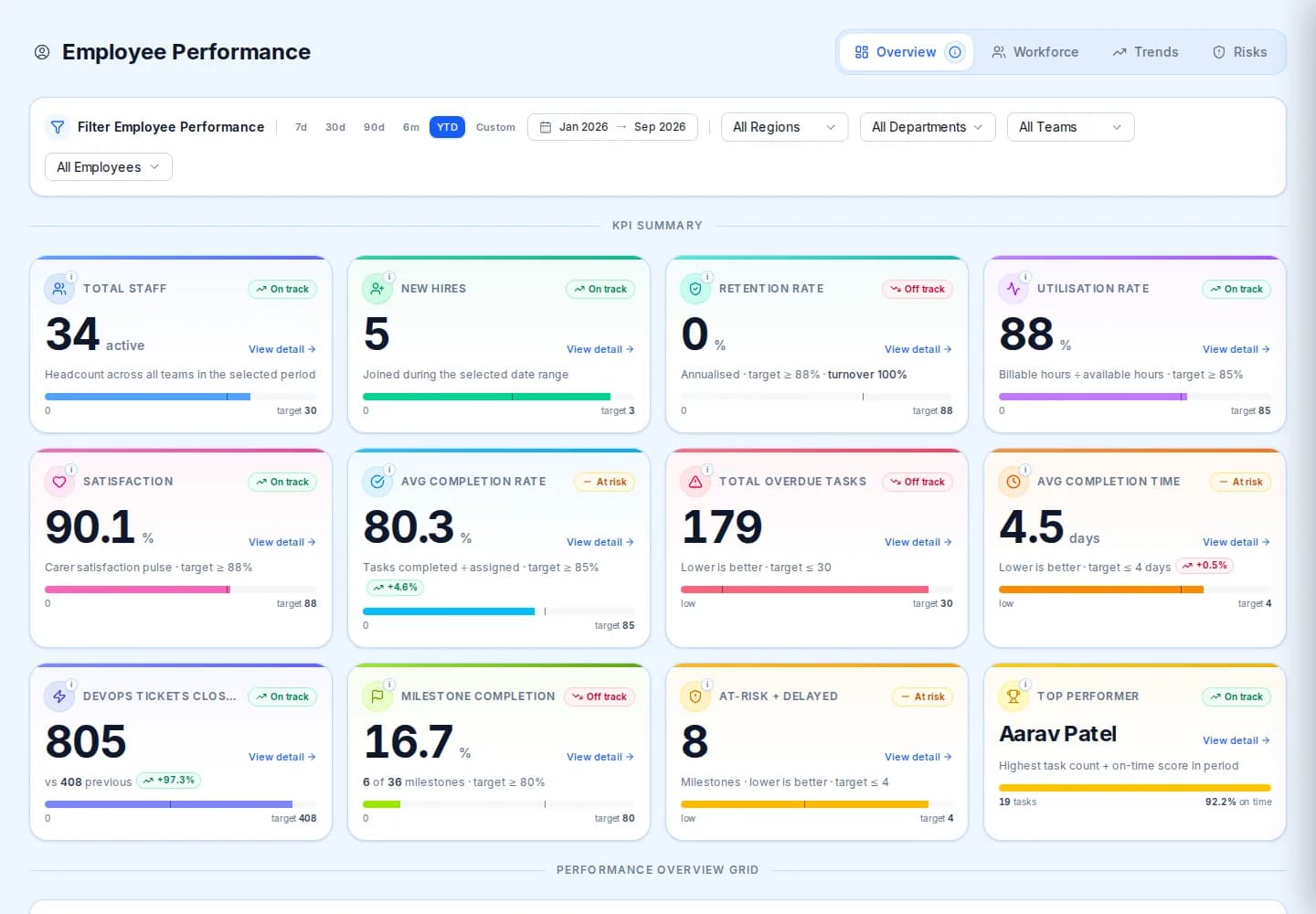
What you see
Practitioner utilisation, cancellations, the referral pipeline and clients at risk.
What you need
Exports from your practice management system, finance and payroll.
How you start
A 15 minute call, then a working session on one of your exports.
The reason
Why allied health practices ask for this
An allied health group lives on practitioner time. Every unfilled hour, every late cancellation and every referral that stalls between enquiry and first appointment is money that does not come back. The practice system knows most of this, but it shows it one appointment at a time.
MERIT Lumina is built around the questions a practice owner and a clinical lead ask each other: how full are the diaries, what is being cancelled and by whom, how many hours does each client receive, which referral sources convert, and which clients have gone quiet. Each measure carries a target, a trend and an owner.
Good to know. Where a practice also delivers under NDIS plans or Medicare chronic disease management, those measures sit beside the others rather than in a separate report.
See it working
Three questions, three screens
Pick a question to open the screen that answers it. These are real screens of the platform, filled with sample numbers.
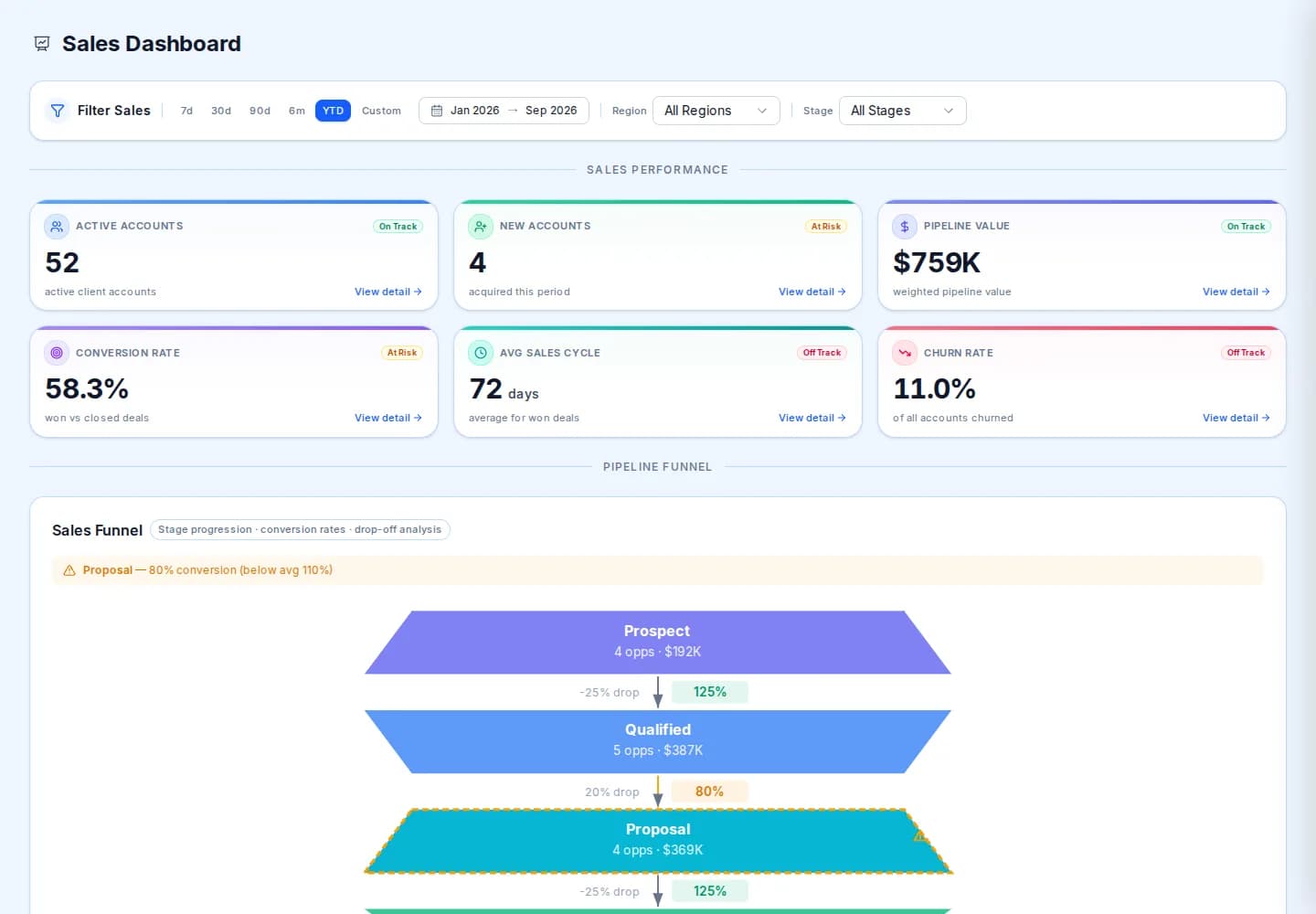
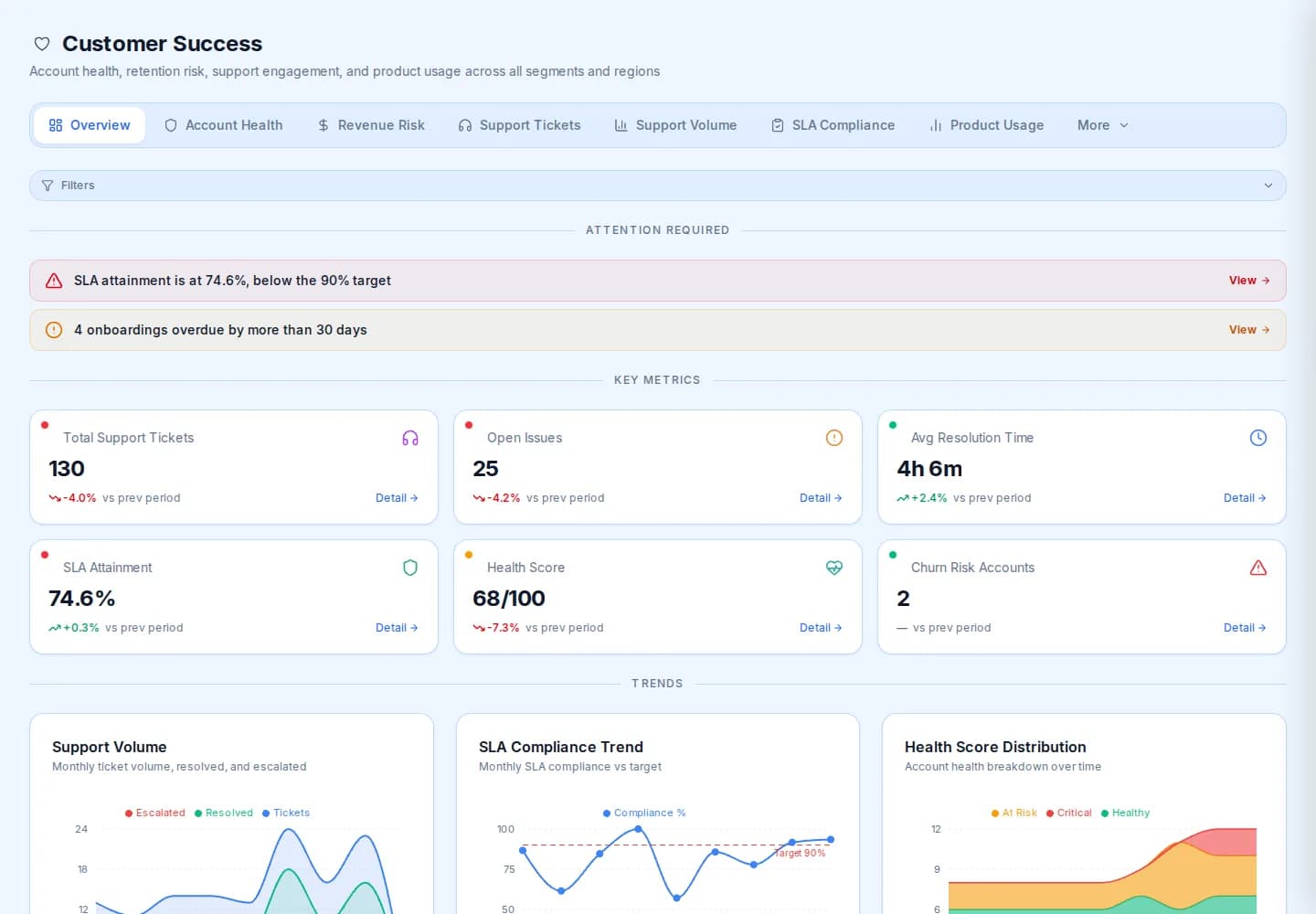
Measures
What allied health practices watch here
The list is a starting point. We agree yours with you.
Every measure has
- A target
- A trend
- An owner
- Workforce
Practitioner utilisation
Billable hours against available hours, by practitioner and by team.
- Delivery
Cancelled sessions rate
The share of appointments that did not happen, split by client and practitioner cancellations.
- Delivery
Average hours per client
How much care each client actually receives, compared with their plan and the month before.
- Growth
Referral pipeline value
Referrals in flight by stage, so the ones that stall are visible before they are lost.
- Growth
Conversion rate
Enquiries that became clients, by referral source.
- Quality
Client satisfaction
Survey scores by practitioner and site, trended.
- Quality
Churn risk
Clients whose attendance or engagement has dropped, flagged before they leave.
- Accountability
Overdue actions
The actions that were promised and are late, sorted by how late.
How it works
Four plain steps, no new system
Nothing new for your staff to type into.
- 1
Start with the data you already have
Exports and spreadsheets from your client, rostering, finance and HR systems. Nothing new to type in.
- 2
We set it up with you
Together we agree which measures matter, what a good number looks like, and who owns each one.
- 3
Thresholds, owners and exceptions
When a number crosses its line, it becomes an exception with an owner and a due date, not a surprise at the next board meeting.
- 4
Actions and evidence
Every action, status change and sign-off is kept, so the story of what you did about it is there when someone asks.
- Where does the data come from?
- From what you already have: exports from your practice management system, finance and payroll, and any spreadsheets you keep. We load them with you. There is no self-serve connector to switch on today, and we do not pretend there is.
- Are the pictures on this page real?
- They are real screens of our example company, Merit Lumina (Demo), filled with sample data. Nothing on this page is a practice's data, and no client records are involved. Your version is built from your own exports.
- We are a small practice. Is this for us?
- It suits a group with several practitioners or sites, where the numbers are spread across systems. A single small clinic usually gets what it needs from its practice system, and we will say so on the call.
See your own numbers, not ours
Fifteen minutes is enough to decide whether it is worth a working session on one of your exports.